Prerequisites (from GOV.UK)
- Apply for an agent services account if you do not have one (this is different from HMRC online services for agents).
- Get the client to authorise you for MTD for Income Tax (steps differ if you are already authorised for Self Assessment).
- Sign up each client individually through the online service.
Self Assessment authorisations
- Existing SA authorisations are recognised for MTD for Income Tax.
- Check they appear in your agent services account; if not, add SA agent codes from HMRC online services.
- Adding authorisations does not sign the client up; you still run signup per client.
- It does not remove access in HMRC online services for clients who stay on Self Assessment only.
Client eligibility reminders
- Client must be registered for Self Assessment.
- Client must have submitted a tax return in the last 2 years.
- Check exemptions before pushing signup (exemptions guide).
Practice ops tip
Track three states per client: (1) in-scope band, (2) agent authorised in agent services account, (3) MTD signed up + software authorised. Missing any one blocks a clean first quarterly update.
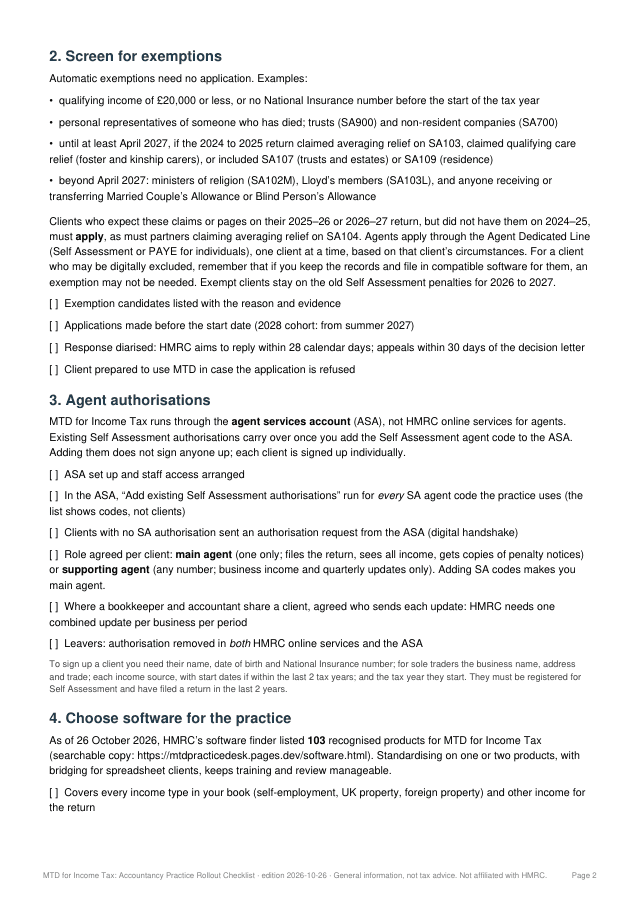
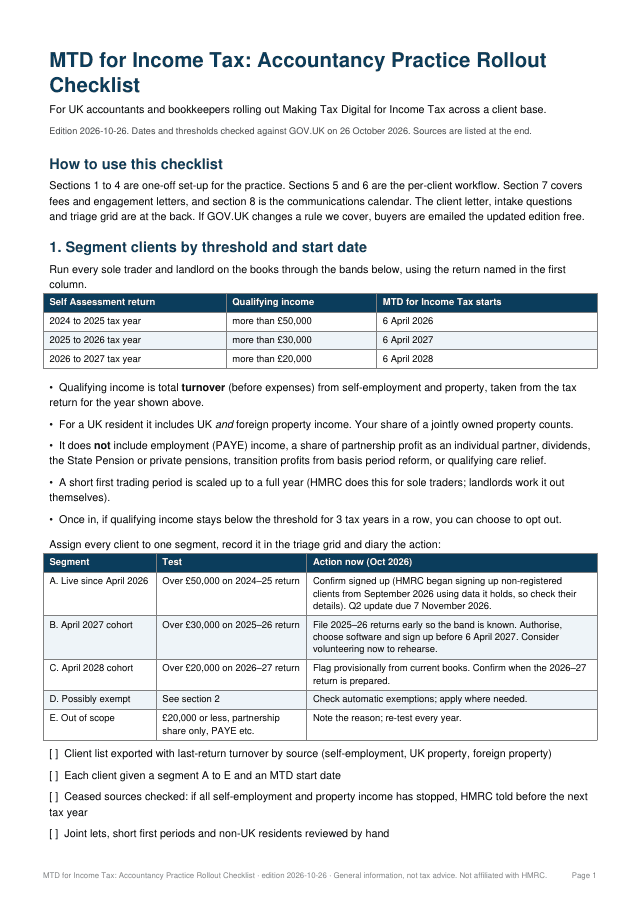
Rolling this out across your client list?
The Practice Rollout Checklist covers the whole client base: segmenting clients by start date, agent authorisations, software, onboarding, fees and engagement letters, and a client communications timeline. 6-page PDF, instant download. The Sole Trader Readiness Checklist is the 4-page version for sole traders and landlords.
Sources:
https://www.gov.uk/guidance/sign-up-your-client-for-making-tax-digital-for-income-tax
https://www.gov.uk/guidance/add-your-client-authorisations-for-making-tax-digital-for-income-tax
The checklist gets clients signed up. QuarterClose gets their records in, every quarter.
QuarterClose chases each sole trader and landlord client against their own quarter, with reminders 14 days and 3 days before the 7th. Clients reply with a photo, PDF or voice note and never get a login. You approve every line, then file in the MTD software you already use.